Category: Server virtualization

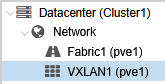
Configuring VXLAN in Proxmox VE

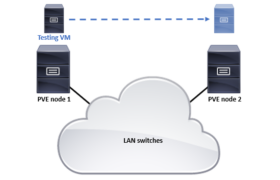
About VXLAN From Wikipedia: Virtual eXtensible LAN (VXLAN) is a network virtualization technology that uses a VLAN-like encapsulation technique to encapsulate OSI layer 2 Ethernet frames within layer 4 UDP datagrams, using 4789 as the default IANA-assigned destination UDP port number, although many implementations that predate the IANA assignment use port 8472. VXLAN attempts to […]

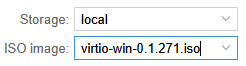
Installing VirtIO Drivers for Windows VM on Proxmox VE

When installing a Debian Linux virtual machine on a Proxmox Virtual Environment (PVE) host, the Debian installer automatically installs the VirtIO paravirtualization drivers and the QEMU guest agent so that no extra configurations are needed for full cooperation with the virtualization host. In Windows Server 2025 those drivers and utilities are not included. It means […]

NetBox Install on Debian 9

When installing NetBox on Debian 9 and Apache, the instructions in http://netbox.readthedocs.io/en/latest/ are fine, just some small additional operations are needed. The libapache2-mod-wsgi-py3 package needs to be installed as well, otherwise you will get errors about the “WSGIPassAuthorization on” command when starting Apache [this has later been addressed in commit b917e8d] Disable the “000-default” site […]

TLS Certificates in Debian and Apache

Adding TLS configurations in Apache: cat > /etc/ssl/private/myserver.key chmod 0640 /etc/ssl/private/myserver.key chgrp ssl-cert /etc/ssl/private/myserver.key cat > /etc/ssl/certs/myserver.crt cd /etc/apache2/sites-available cp default-ssl.conf myserver-ssl.conf vi myserver-ssl.conf – add ServerName if needed – RedirectMatch ^/$ https://myserver.mydomain.com/appname (if needed) – edit SSLCertificateFile and SSLCertificateKeyFile a2ensite myserver-ssl a2enmod ssl vi 000-default.conf – add ServerName if needed – Redirect / https://myserver.mydomain.com/ […]